Ask a general-purpose AI assistant about a specific deal, and it will go and look: it searches the CRM, opens the emails, reads the call notes, one tool call at a time. It usually gets the answer right. But it starts from scratch on every question, and when two deals share details or a client email contradicts the CRM, it has to work out on the spot which version is current. For a rep about to join a call, that's too slow. A context graph does that work once, ahead of time, so your team has every detail for every call without hunting for it.
TL;DR
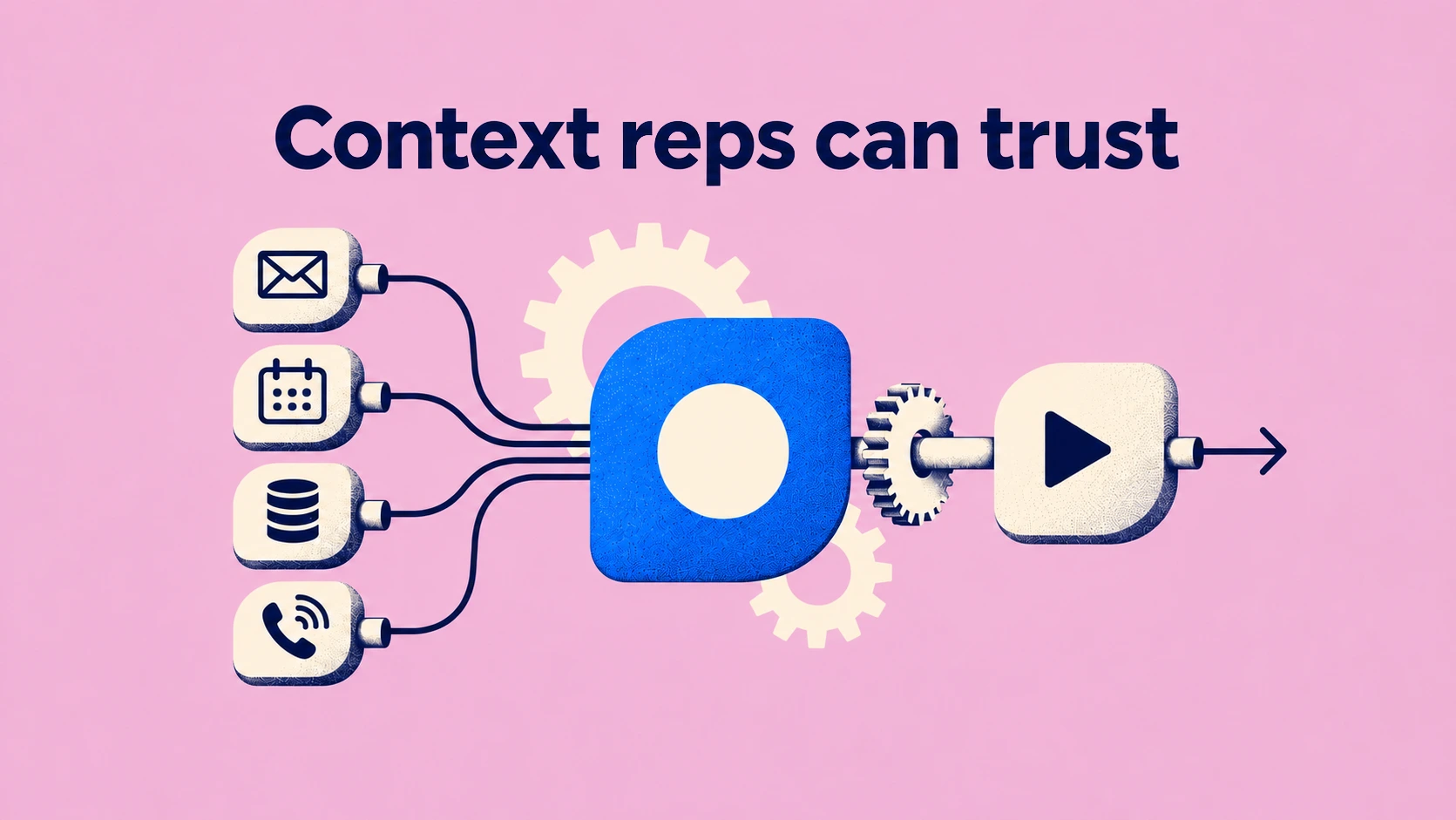
Pearl connects to your CRM, mailboxes, calendars, Slack and call recorders, and keeps track of every record. There’s one context graph for each customer, with fixed rules and a source behind every fact so the data is clear and fresh before any model reads it. The Action Engine works from that graph to suggest what each rep should do next, and updates your CRM, after your review by default or automatically on the fields your admin chooses.
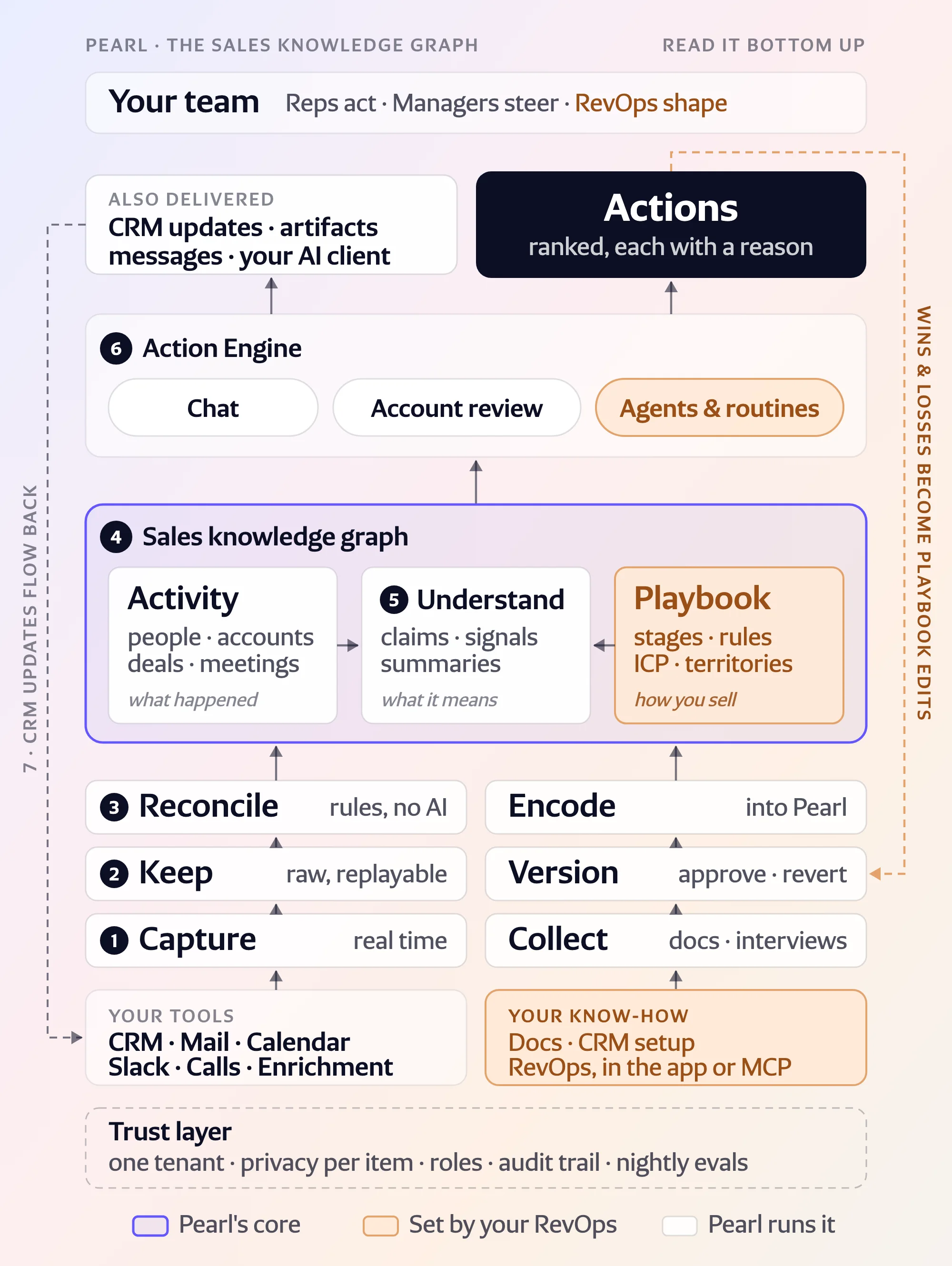
Why does a sales team need a knowledge graph before it needs an AI?
Because the model can only be as right as the data it reads, and sales data is scattered across a dozen tools that disagree with each other.
The CRM records outcomes. The conversations that explain those outcomes live in various places like email, calendars, Slack and call recordings, often with updates that contradict previous information. The obvious shortcut is to plug a general-purpose assistant straight into all of them. We tried it. It works, in the sense that it eventually gets the answer right. But it typically has to re-read the whole deal for every question.
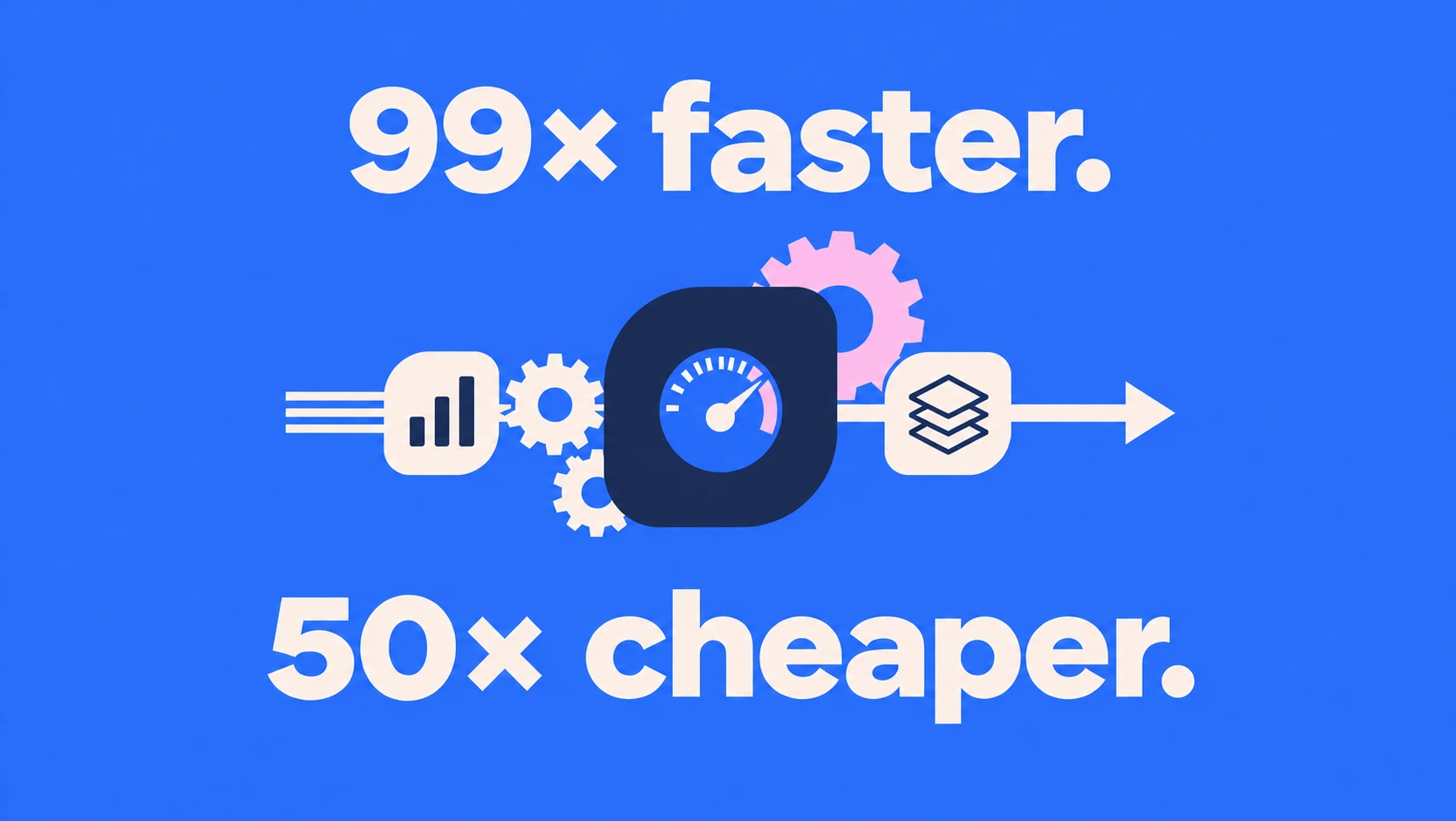
Sami Touil, our co-founder and CTO, measured the gap on one pre-call brief: about 18 minutes. That doesn’t help the sales team when they need an answer during a call. When Sami ran the same test using Pearl’s context graph, the answer came back in 11 seconds. And used one-fiftieth of the tokens. He used the same model both times. The difference came from the layer between the tools and the model that already had the freshest data and knew all of the details.
That layer is the sales knowledge graph, and it's what makes Pearl a System of Action: everything the team knows, turned into the next thing each person should do. The Action Engine, the part of Pearl that decides what a rep should do next, runs on top of it.
What is a sales knowledge graph (or context graph)?
A context graph is a continuously updated model of a revenue team's world. It holds one record per real person, account, opportunity, meeting, and email, merged from every connected tool, linked by typed relationships (works at, attends, owns, sent), with the source recorded on every fact and a privacy class on every item. Every Pearl agent reads from it.
1. Capture: how does data get into Pearl?
Through real-time webhooks, so changes reach Pearl within seconds of happening.
A stage change in Salesforce, a new email in Outlook, a Gong call that just ended: each one goes into Pearl as an event in real time, with no nightly sync. Today Pearl connects to:
- CRM: Salesforce and HubSpot, including custom objects and fields.
- Mail and calendar: Gmail, Google Calendar, and Outlook.
- Messaging: Slack and Microsoft Teams.
- Calls: Gong, Aircall, Praiz, Noota, Granola, and Pearl Recorder, our own note-taker for Zoom, Meet, and Teams meetings.
- Enrichment: LinkedIn connections, FullEnrich, public company registries and the open web.
Files you upload work today. Knowledge bases (Google Drive, SharePoint, Notion) are next on our roadmap, and every new source plugs into the same pipeline. On first connection, Pearl also pulls the history in bulk, so day one isn't empty. Across our customers, that adds up to tens of thousands of CRM changes a day.
For RevOps: if it changed in Salesforce, Pearl has the event within seconds, and the graph shows it within minutes. No "it'll be there tomorrow".
2. Keep: why store raw records at all?
Pearl stores every record exactly as it arrived, before interpreting it, so the original record acts as a source of truth. This is important because the way data is interpreted can change over a deal’s lifetime: customers rename pipeline stages, new goals are set, rules are redefined, etc. With the raw layer intact, the current situation is based on facts, not stale interpretations. Every answer Pearl gives traces back to the record that produced it, and outdated records are noted and retired so there’s no confusion about which information is current.
3. Reconcile: how do you turn five copies of a person into one?
With fixed rules and a fixed order of precedence. This is the unglamorous part, and the one we spend the most engineering time on.
The same person is a Salesforce contact, a Gmail sender, a calendar attendee, a speaker in a Gong transcript, and a LinkedIn connection. That’s five copies, for only one human. Reconciliation (identity resolution, if you prefer the textbook term) collapses them:
- People are identified by email address and LinkedIn profile, and the two keys reinforce each other. Phone numbers join them soon.
- An email sitting in two mailboxes is one email, recognized by a content fingerprint, no matter who forwarded it.
- A meeting is matched by its invitation ID, then its link, then its title and time. A phone call is matched by number and time slot.
- When sources disagree, precedence decides. The CRM wins on who a person is and which account they belong to. The calendar wins on when a meeting happened. The transcript wins on what was said.
We kept language models out of this stage on purpose. The same inputs always produce the same graph, in any order, and we test that on every change. Our shorthand for it is "deterministic identity, probabilistic facts": the model only comes in at stage 5, once the people and deals are already right.
Where it broke
The Salesforce Task is the hardest object in sales data. Depending on who created it, the same Task is an email, a phone call, a Gong recording, an AI summary pasted in by a note-taker, or a plain note. One row has to become exactly one thing in the graph. Our classifier for that single object has about a dozen rules, and whatever is left over becomes a note, last, so nothing is counted twice. Calendar robot mail ("Accepted:", "Invitation:") also cluttered account timelines for weeks before we taught the pipeline to drop it. Nobody misses it.
4. The sales context graph: what does Pearl actually store?
The graph gives everything its own identity: entities (people, accounts, opportunities, meetings, emails, notes), typed relationships between them (works at, attends, owns, sent, related to, and dozens more), and a provenance link from every entity to each record that fed it. Ask Pearl where a fact came from, and it points to the Gong call, the HubSpot field, or the Slack message.
For scale: the graph of one of our enterprise customers holds roughly 400,000 accounts, 450,000 people, 700,000 meetings and 200,000 emails, connected by about 4.5 million relationships. A rep's view of one opportunity is a small walk through it: the account, its contacts, their meetings, the transcripts, the open tasks.
Two properties are set at this stage and travel with every item:
- Freshness: the graph is event-based, so a change in a source shows up within a few minutes.
- Privacy: each email and meeting is marked private or shared here, by the rules described further down.
A weekly audit scans the whole graph for over-merged people, duplicate accounts, and dangling links, and reports them to us so we can fix the rule that caused them.
5 to 7. Understand, act, write back: what happens on top of the graph?
Language models read the graph, the Action Engine turns it into next steps, and approved changes go back to your CRM.
Understand
Language models interpret the graph once it's clean. They extract claims from calls and Slack threads attached to the right deal with their source. The extractor abstains when it isn't sure, and when a claim contradicts the CRM, the CRM wins, and the claim is flagged for a person. Summaries, account digests, and memories are written back into the graph, so the next question starts from them.
Act
The Action Engine reads the graph three ways: chat (in the app or in Slack), async agents that watch the accounts and deals in a rep's focus, and routines you schedule yourself, like a Monday pipeline brief. They all read the same graph, so the chat answer and the action on your Home page agree.
Write back
By default, every CRM update starts as a proposal the rep approves, edits or rejects, field by field. Writes are conflict-safe (they stop if a colleague changed the field in the meantime), idempotent (a retry never creates a second note), audited, and recognized when they flow back in, so your activity isn't counted twice. Admins can also switch on automatic updates for chosen low-risk fields, like next-step dates. Those writes skip the review step and keep the same conflict check and audit trail.
The companion article, One sentence on a sales call, seven stages later (to be published next), follows a single sentence through these three stages, from the call to the updated CRM.
How is the data kept private and secure?
Permissions and privacy are properties of each piece of data, decided before any agent reads it.
Each customer is one tenant, enforced in the database. When an agent queries the graph, the database itself fences the query to your organization and to the rows you're allowed to see.
Every email, meeting, and recording gets a privacy class at reconciliation. By default, mail and meetings with a CRM contact are shared with the team, internal and personal items stay private, and anything you hid in your own calendar stays hidden. Admins change the outcome per source and per class, down to "don't store", and can exclude specific addresses and domains. Each member can make their own mailbox stricter. Documents Pearl writes stay private to their author until they share them.
Admins also decide what Pearl may read, write and execute, and how autonomously, per role. Roles and reporting lines drive the manager views, so a sales manager sees their team and nobody else's.
Data for EU customers stays in the EU, we're SOC 2 Type II, and about a hundred evaluation suites replay anonymized real cases every night before any change to the agents ships.
Context graph vs RAG vs CRM-only: which one answers correctly?
The context graph comes out ahead on all five, because it settles identity and privacy before any model reads the data.
| Question | CRM only | RAG over raw tools | Pearl's context graph |
| Who is "Marie" on this deal? | Whoever a rep typed in | A guess from text similarity | One resolved person, with every source |
| What did the customer say last week? | Not recorded | Found, if the right chunk ranks | The call, linked to the deal and the people |
| Can my colleague see this email? | Doesn't apply | Often yes, by accident | Decided per item, before any agent reads it |
| Cost per question | Low | High: it re-reads the raw data every time | Low: the data is read once, at ingestion |
| Where did this fact come from? | Unknown | A document chunk | The exact record, every time |
We measured the gap on one pre-call brief. A general-purpose assistant connected straight to the same tools took about 18 minutes. Pearl, reading the context graph, took 11 seconds on about a fiftieth of the tokens.
Three things we would do differently
- Build the graph before the chat. We started with chat on top of raw data and moved the source of truth into the graph this summer. Every feature got simpler the day we did.
- Make privacy a data property from day one. We got there by iteration, and that's where we'd start now.
- Respect the CRM Task. It looks like one object and behaves like five. We'd treat it as its own project from the start.
FAQ
What is a context graph?
A context graph is a live map of a revenue team's people, accounts, deals and conversations, merged from every tool, where each fact points back to its source. Pearl calls its version the sales knowledge graph.
Why does a RAG assistant return the wrong account?
It matches text, and text doesn't carry identity. Two companies with similar names, or one person with two email addresses, look alike to a search index. A knowledge graph resolves identity with rules before any model reads the data.
Do I need to clean my CRM before connecting Pearl?
No. Reconciliation merges duplicates and resolves conflicts on its own, and Pearl proposes CRM fixes for your review on the CRM Hygiene page.
How fresh is the data?
Changes arrive through real-time webhooks within seconds, and the graph reflects them within a few minutes. Async agents then re-read the accounts and deals the change touched.
How is conversation data kept private?
Every email, meeting, and recording is classified private or shared at ingestion, following your admin's rules and each member's own settings. Agents only read what the person asking is allowed to see, and the database enforces it.
Which AI models does Pearl use?
A mix of OpenAI, Google Gemini, and Anthropic Claude models, picked per task for quality and token efficiency, so we're never tied to one provider. We've also tested open-weight models. Data for EU customers stays in the EU.
Over the coming weeks, the team will zoom into each box of this map: ingesting at volume, webhooks that survive bursts, why naive entity matching breaks, CRM writes reps actually trust, and how we test agents before customers do.